
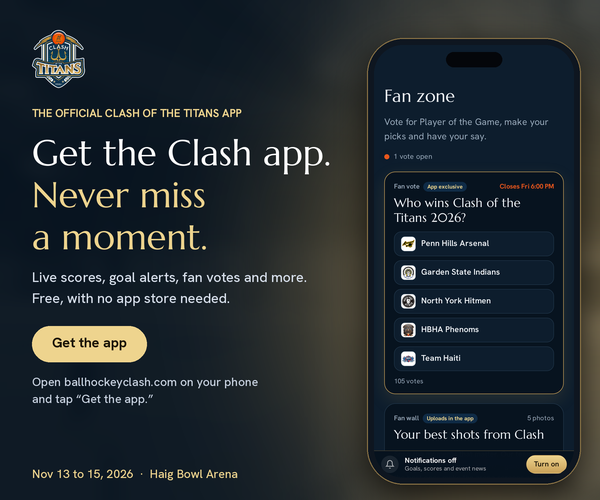
We’re one month out from Clash of the Titans 2026, and this year the tournament comes to you. Today we’re launching the official Clash of the Titans site and app: one home for every score, stat, standing, highlight and announcement from Haig Bowl Arena, November 13–15.
Clash has always been one of the biggest weekends on our calendar. Teams travel from across Ontario, Quebec and the United States, families make the trip with them, and fans follow along from home. Until now, keeping up meant refreshing social media, asking someone at the rink, or waiting for the final post at the end of the night.
The Clash app changes that. Whether you’re in the stands, on the bench, in the parking lot between games or watching from another province or across the border, you’ll have the same view of the tournament as the people running it. And this year, you won’t just follow Clash. You’ll be part of it, with fan voting, Player of the Game picks and alerts the moment a goal goes in.
It’s free at ballhockeyclash.com, it works on any phone, and there’s nothing to download from an app store. Here’s everything it can do.
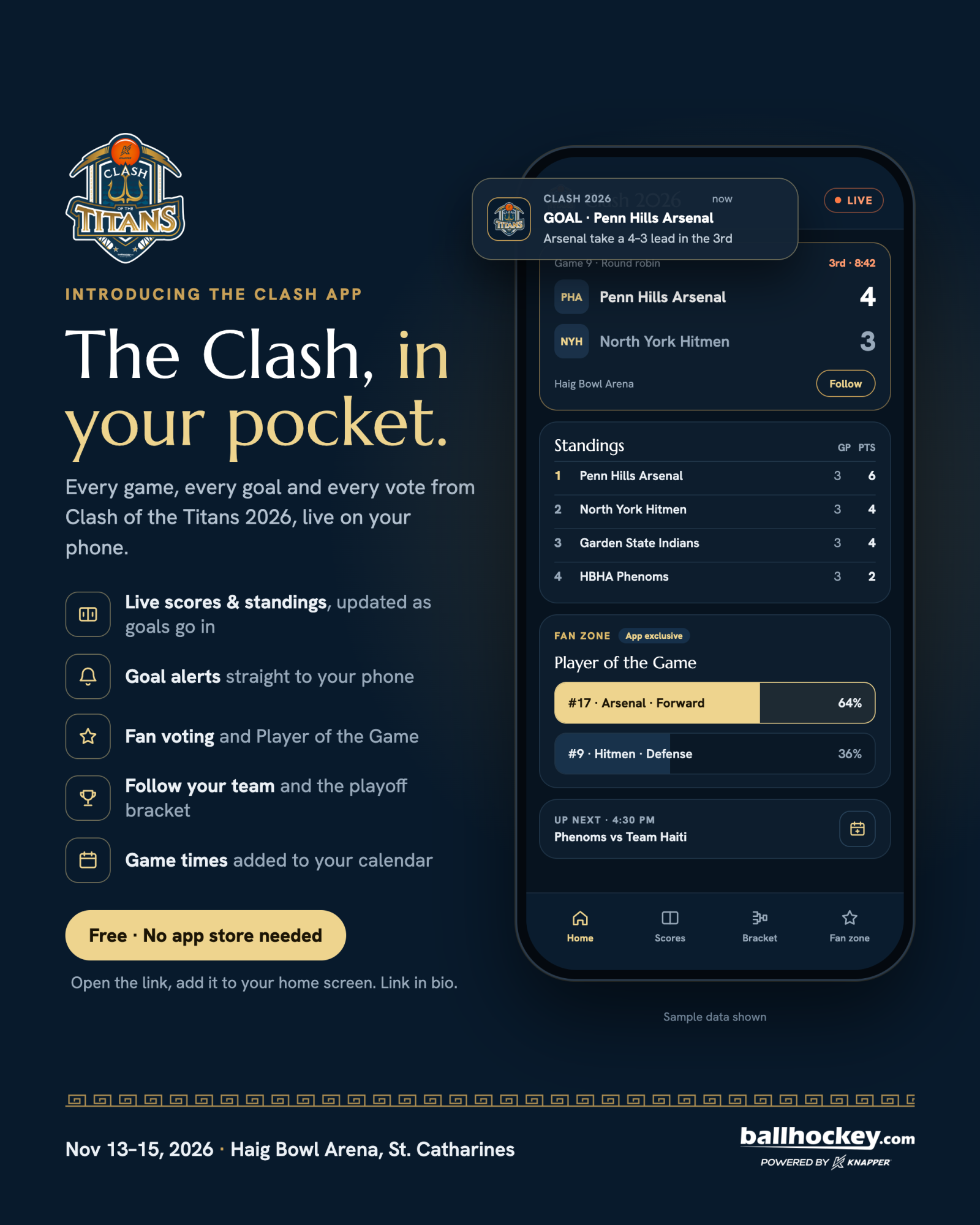
Live scores, as they happen
Every game at Clash 2026 is scored live from the scorekeeper’s table, right into the app. When a goal is entered at Haig Bowl, it shows up on your phone within seconds.
Across the top of the app sits a live score bar, the same idea you’d see on a pro sports broadcast. It scrolls through every game in progress, recent finals and what’s coming up next, so one glance tells you where the whole tournament stands.
Standings that update themselves. Clash is scored by points per period, and the standings table recalculates the moment a period or game ends. You’ll see each team’s rank, points, record, goals for and against, and periods won. No more doing the math in your head between games to figure out who’s in and who’s out.
Full schedule and results. Every round-robin and playoff game is listed with its time and rink status: upcoming, live or final. Tap any finished game to open its full game summary (more on that below).
Time on the clock. When the scorekeeper records a goal or penalty, they log the time it happened. The app shows the period and the time of the latest entry, so you’ll know whether that goal came early in the first or with seconds left in the third.
Never miss a goal
This is the feature we’re most excited about. Turn on phone alerts, and the app will notify you the second a goal is scored, even when the app is closed and your phone is in your pocket.
Each alert tells you who scored, who assisted and what the score is now. Picture it: you’ve stepped out to grab food between games, your team is down one late in the third, and your phone buzzes with the equalizer. That’s the experience we wanted to build.
You can also get alerts for official tournament announcements, like schedule changes, playoff matchups being set or the championship game about to start.
How phone alerts work: alerts come through the app once it’s added to your home screen (see “How to get the app” below). They work on Android phones and on iPhones running iOS 16.4 or later. You choose whether to turn them on, and you can turn them off at any time.
The Fan Zone: your vote counts
For the first time, Clash fans get a say. The Fan Zone turns the app from something you watch into something you take part in.
Who wins Clash 2026? Pick the team you think will take home the title, then watch the results bars move as other fans weigh in. It’s the easiest way to see which teams the crowd believes in, and which ones are flying under the radar heading into the weekend.
Player of the Game. After games, fans vote for the player who made the difference. Whether it’s a hat trick, a highlight-reel save or a shift that swung the momentum, you decide who earns the recognition. Results are shown in the app, so players and their families can see the votes come in.
Fan polls. Throughout the weekend we’ll run quick polls on everything from the best goal of the day to predictions for the playoff round. Tap your answer and you’ll see how your pick stacks up against everyone else.
Voting is quick, takes one tap and doesn’t need an account.
Follow your team
Got a team you’re behind? Pick it from the “Follow a team” menu, or tap Follow on any team’s card. From then on, the app is built around them.
Your team’s games are highlighted in gold everywhere they appear: the live score bar, the schedule and the standings table. When you open the app, the first thing you see is how your team is doing. Your choice is saved on your phone, so there’s no sign-up or password.
Team cards. Tap any team name, anywhere in the app, to open its card. Each card shows:
- The team’s logo, current rank and points
- Its record, goals for and against, and periods won
- Its full schedule, with win and loss markers on finished games and live scores on games in progress
- The roster, with goals, assists, points and penalty minutes for each player
Opponents listed on a card open their own cards, so you can scout the next matchup in a couple of taps.
Share a team. Every team card has its own link. Send it to the family group chat, post it on your team’s page or text it to a teammate who couldn’t make the trip.
Add games to your calendar. From a team’s card, add its game times straight to your phone’s calendar so you know exactly when to be at the rink.
Every goal, every stat, every bracket
This year, every game at Clash is logged play by play. That means the app tracks the tournament in more detail than ever before, and all of it is open to fans, players and families.
Tournament stat leaders. The Stats section ranks every player in the tournament by points, goals, assists and penalty minutes. Filter by team to see your roster’s leaders, or check the top of the board to see who’s chasing the scoring title. Games played are tracked from each night’s lineup, so the numbers are accurate.
Goalie stats. Goaltenders get their own leaderboard, with games played, wins, losses, ties, goals against, goals-against average and shutouts. Mid-game goalie changes are tracked properly, so each goal against is charged to the goalie who was in net when it went in. Empty-net goals aren’t held against anyone.
Game summaries. Every game has a full summary, broken down by period: who scored, who assisted, when it happened, every penalty, every timeout and every goalie change. If you missed a game, you can follow exactly how it unfolded.
Playoff bracket. Once round-robin play wraps up, the playoff bracket takes centre stage. Follow every matchup from the first playoff round to the championship game, and watch the path to the $15,000 prize narrow with each final.
Watch, relive and stay in the loop
Watch. The app’s video section brings together our Clash 2026 promo, last year’s “Mount Olympus has spoken” trailer and the full 2025 final. During the weekend, we’ll add new highlights as they’re made, so the best moments from Haig Bowl land in the app the same day.
Relive 2025. A rotating gallery of photos from last year’s Clash shows what this event is all about, from the battles in the corners to the championship celebration.
Official announcements. Important updates appear in a banner at the top of the app: a schedule change, a playoff draw, a reminder that the final is about to start. Urgent notices stand out in orange, so they’re hard to miss. Close one on your phone, and the next new announcement will bring the banner back.
Inside Haig Bowl. If you’re at the rink, the same live scores, standings and announcements run on the arena TVs, and every goal gets its moment on screen. What you see on the big screen and what you see on your phone are always in sync.
Meet our partners. The app also features our event partners, including Knapper and Most Wanted Apparel, who help make Clash possible.
Built for fans, players and families
We built the Clash app with everyone who makes this weekend special in mind.
For fans, it’s a front-row seat from anywhere. Follow the action live, get goal alerts, vote for your favourites and watch the highlights, whether you’re in the stands at Haig Bowl or at home.
For players, it’s your weekend on the record. Your goals, assists and points are tracked game by game and ranked against the whole tournament. Every summary, stat line and Player of the Game vote is there to look back on, and to share.
For families, it’s peace of mind. Know when and where your player’s next game is, add it to your calendar, and get an alert the moment they score. If you can’t make the trip, send the team’s link to grandparents and friends so they can follow along too.
For teams, it’s one place to send everyone. Instead of answering “what time do we play?” and “what’s the score?” all weekend, point your group to the app.
How to get the app
The Clash app is free and lives on the web, so there’s no app store, no download and no account. It takes about 30 seconds to set up.
On iPhone:
- Open ballhockeyclash.com in Safari.
- Tap the Share button, then tap “Add to Home Screen.”
- Open Clash from your home screen and turn on phone alerts when asked.
On Android:
- Open ballhockeyclash.com in Chrome.
- Tap the menu, then tap “Add to Home screen” or “Install app.”
- Open Clash from your home screen and turn on phone alerts when asked.
Once it’s on your home screen, Clash opens full screen like any other app. You can also use it straight from your browser, but adding it to your home screen is what unlocks goal alerts.
The Titans are coming!
Clash of the Titans 2026 takes over Haig Bowl Arena in St. Catharines from November 13 to 15. The champions take home $15,000, and the prize grows to $20,000 if the field reaches 14 teams. Both finalists will also receive uniforms from Most Wanted Apparel.
The field is already taking shape, with Penn Hills Arsenal, Garden State Indians, North York Hitmen, HBHA Phenoms and Team Haiti confirmed so far, and more teams to be announced in the weeks ahead. As each one commits, it’s added to the app.
Teams that haven’t registered yet can still claim a spot. Register online at ballhockey.com/clash with a $250 deposit before November 2, 2026, with the balance paid in person.
Visit ballhockeyclash.com, add the Clash app to your home screen, pick your team and turn on alerts. When the ball drops on November 13, you’ll be right there with us.
Follow @ballhockeydotcom on Instagram for team announcements, app updates and everything Clash between now and ball drop.